
An assistant that lives on your PC. It asks before it changes anything.
BigOne is one process running in the background. You give it work by typing or by voice: it opens folders, organizes files, reads your code and reminds you of things. Its brain, memory and keys stay on your machine; without internet it uses a local model.
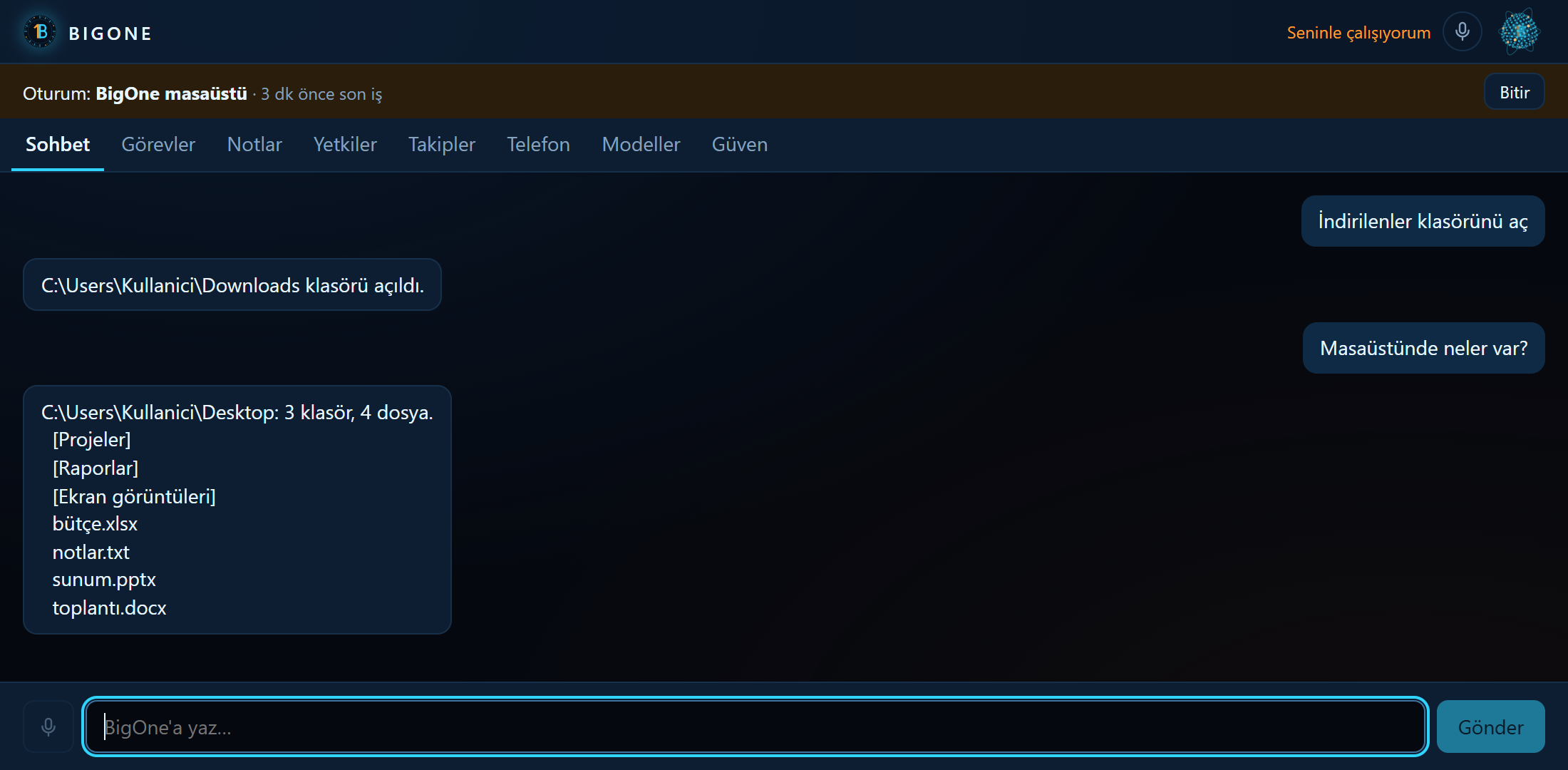
Simple work by rules, the rest by a model. Changes by approval.
Every command first goes to the fast path: if a skill's regular expressions recognize it, the work is done without a language model. No internet needed, and the answer is immediate.
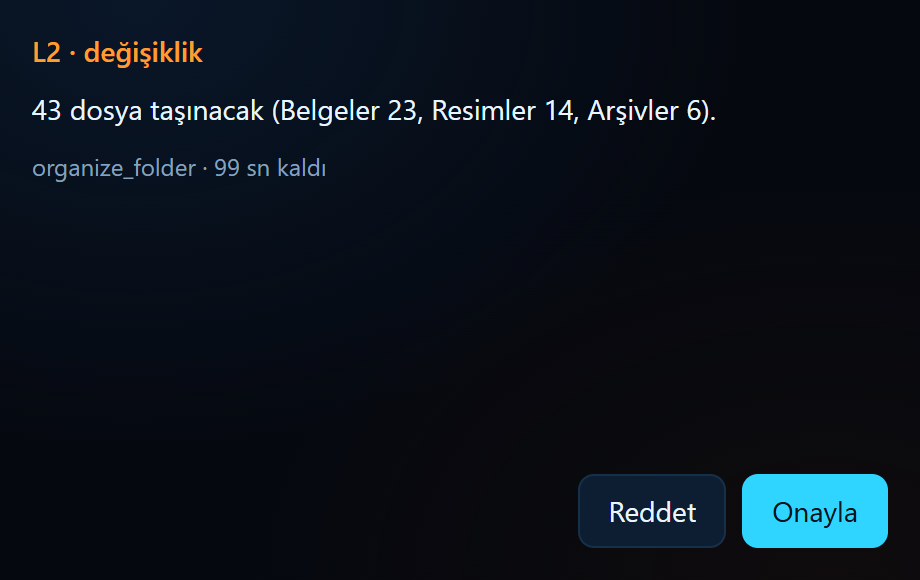
If not, the command goes to the LLM loop. The model sees the skills as tools and calls one. If the call would change files, BigOne first works out what it would do, shows you without touching anything, and waits for your approval.
> İndirilenler klasörünü aç            # open Downloads
  fast path · open_folder · L1 · no model
  …\Downloads klasörü açıldı.

> İndirilenler çok dağınık, biraz toparlar mısın?   # tidy up Downloads?
  no fast-path match → LLM loop → organize_folder
  Onay gerekiyor (L2): 43 dosya taşınacak (…).   # approval needed
  approved → ran → undo record written
  … Geri almak için: "geri al".   # say undo to revert
One brain, thin clients
Intelligence and data live in one place: your PC. The desktop app, command line, microphone and phone are interfaces to the same process; there is no fallback intelligence on the phone.
- 01
Local first
By default no data leaves the machine. Cloud models come in only if you add a key and allow them; every cloud request is written to the audit log.
- 02
No change without approval
Every action carries a risk level from L0 to L4. Deleting and running code are always asked, and cannot be approved by voice or from the phone.
- 03
Every capability is a skill
The core stays small. Opening a folder and setting a reminder are both skills: a manifest, a Python file and its test.
- 04
Rules first, then the model
Simple commands never reach a model. The language model only runs for work the rules don't recognize.
- 05
Swappable providers
Language model, speech recognition, voice and storage sit behind interfaces. Moving from a free model to a paid one is a setting in the panel.
What runs where
- CorePython 3.12 · FastAPI (REST + WebSocket) · 127.0.0.1:8765
- Local modelOllama · qwen2.5:3b · no internet needed
- CloudGemini, Groq, Cloudflare, OpenRouter (free) · Claude, OpenAI (paid)
- DataOne SQLite file · keys in Windows Credential Manager
- VoiceEnergy-based VAD · faster-whisper · Piper · all local
- DesktopTauri 2 · Svelte · Rust bridge · system tray
- PhoneKotlin · Jetpack Compose · TLS :8766 · certificate pinning
- Skills28 built-in · manifest + code + test · approved skill generation
What works today, what is next
- works Core and command line Fast path, local model, history and audit log.
- works Cloud and approvals Provider order, failover, approval for L2 and above.
- works Files and memory Find, organize and undo, delete to the Recycle Bin, long-term memory.
- works Voice Wake word, Turkish speech recognition, spoken answers with Piper.
- works Self-extension Writes new skills; shows the code, tests and installs it after approval.
- works Companion Work sessions, speaking up on its own, learning by observation, tasks and reminders.
- in progress Desktop and installer App and installer are ready; the first public release, 0.1.0, is pending.
- in progress Android Pairing, chat, push-to-talk and approvals tested on a real phone; signed APK pending.